


In the ever-evolving world of social media, Instagram stands out as a platform that emphasizes visual storytelling and community connections. While Instagram encourages users to express their creativity through original content, it also fosters a culture of sharing, appreciation, and collaboration. This is where an Instagram repost app comes into play, allowing users to easily share their favorite posts while respecting the original creator’s rights. In this article, we will explore the features, benefits, and best practices for using Instagram repost apps effectively to enhance your social media experience.
Understanding the Need for Repost Apps
One of the most significant aspects of Instagram is its community-driven content. Users are constantly discovering new accounts that resonate with their interests, whether it’s fashion, fitness, travel, or art. However, the challenge arises when you want to share content from another user without breaking Instagram’s guidelines. This is where repost apps come in handy. They provide a straightforward solution to share, repost, and credit original content seamlessly.
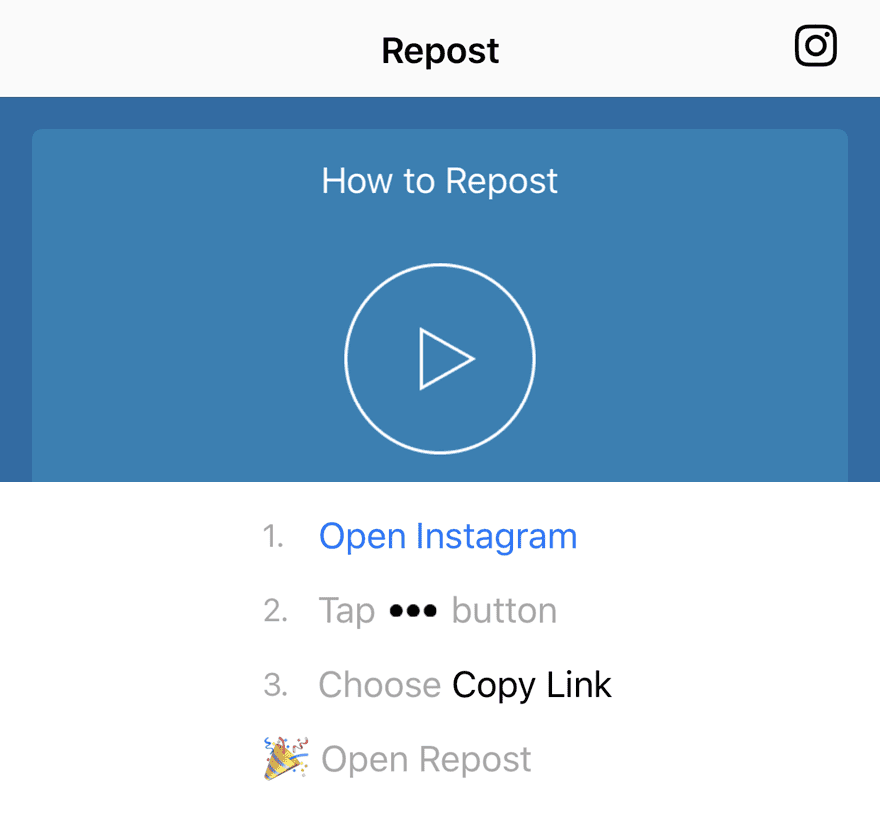
Key Features of an Instagram Repost App
When considering an Instagram repost app, it’s essential to look for some key features that will enhance usability and ensure a smooth experience:
- Easy Integration: The app should seamlessly integrate with your Instagram account, making it simple to repost content directly.
- User-Friendly Interface: A straightforward, clean interface makes the app accessible for users of all skill levels.
- Credit System: The app should automatically credit the original poster, ensuring that creators receive recognition for their work.
- Editing Options: Look for features that allow you to add captions, stickers, or filters to your reposts, enabling you to maintain your personal style.
- Content Management: A good repost app will provide an organized way to manage your reposted content, making it easy to revisit and share later.
Benefits of Using an Instagram Repost App
Utilizing an Instagram repost app offers several advantages for both personal and business accounts:
- Increased Engagement: Reposting high-quality content relevant to your niche can attract more followers and boost engagement on your profile.
- Content Calendar: Reposting allows you to maintain an active content calendar, ensuring you have a consistent flow of posts to keep your audience engaged.
- Community Building: By sharing others’ content, you build relationships within the community and contribute to a collaborative environment.
- Brand Awareness: For businesses, reposting user-generated content can increase brand visibility and showcase customer loyalty.
How to Use an Instagram Repost App Effectively
To make the most of your repost app, consider the following tips:
1. Choose Quality Over Quantity
It’s easy to get carried away and repost a large volume of content, but quality should always take precedence. Ensure that the posts you choose to share align with your brand’s message and values.
2. Credit Original Creators
Always remember to credit the original creator when reposting. This not only adheres to Instagram’s community guidelines but also builds trust and respect within the community.
3. Use Captions and Hashtags Wisely
When reposting, take the opportunity to add your thoughts, insights, or a call to action in the caption. Using relevant hashtags can also help extend the reach of your reposted content.
4. Monitor Engagement
Keep an eye on how your audience engages with reposted content. Analyze which posts resonate the most to inform your future content strategy.
5. Maintain a Consistent Aesthetic
While reposting content, try to ensure that it aligns with your overall Instagram aesthetic. A cohesive feed can attract more followers and enhance your brand’s narrative.
Popular Instagram Repost Apps
Here are a few popular repost apps that users frequently recommend:
- Repost for Instagram: This app is known for its user-friendly interface and automatic attribution features.
- Regrann: A favorite among Android users, Regrann allows users to repost photos and videos with ease.
- InstaRepost: Available for both iOS and Android, this app provides various editing features along with straightforward reposting options.
Challenges and Considerations
While repost apps offer many advantages, users should also be aware of certain challenges:
- Permission Seeking: Even with repost apps, it’s good practice to seek permission from the original creator, especially for non-public accounts.
- Attribution Errors: Be mindful of correctly crediting the original creator to avoid any potential disputes or misuses.
- Algorithm Changes: Instagram’s algorithm frequently changes, which can affect your post visibility, including reposted content.
Conclusion
In a world where content is king, embracing the use of an Instagram repost app can elevate your social media presence, enhance community connections, and foster engagement. By following best practices and prioritizing quality content, you can create a robust Instagram strategy that not only showcases your personality but also honors the creativity of others. Whether you are an individual user looking to share inspiring posts or a business striving to build a loyal customer base, an Instagram repost app could be the tool you need to maximize your impact on the platform.

